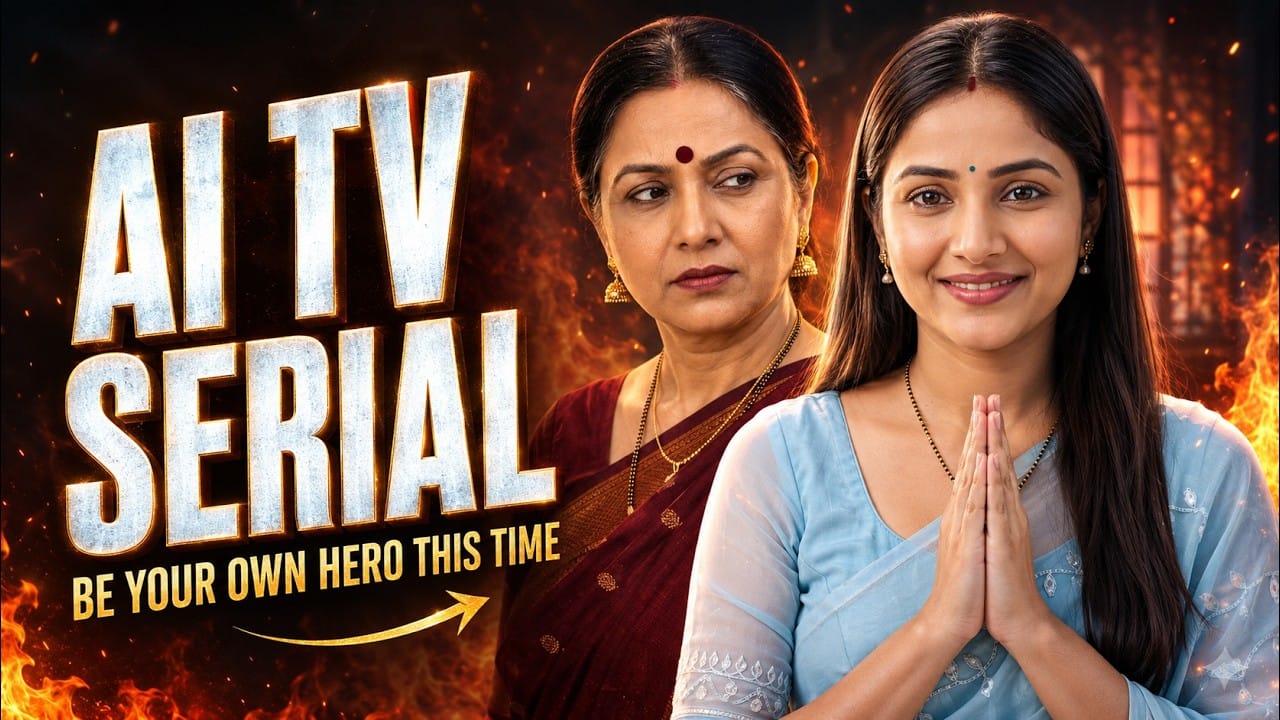
Creating a TV serial traditionally requires actors, cameras, locations, costumes, editors, and a large production budget. But AI has completely changed this process.
Today, you can create a realistic TV-serial-style video using AI tools—and even cast yourself in the lead role. You can design supporting characters, write dramatic dialogues, generate individual scenes, and maintain the same faces across multiple episodes.
This guide explains how to create your own AI TV serial using a personal avatar, ChatGPT, and an AI video-generation platform such as Google Flow.
Note: Tool features, models, free offers, video duration, and regional availability may change. Check the latest options available in your account before beginning.
What Is an AI TV Serial?
An AI TV serial is a story-based video created using artificial intelligence. Instead of recording actors on a physical set, you generate the characters, locations, performances, dialogues, and camera movements digitally.
These videos can include:
- Family drama
- Comedy
- Emotional conversations
- Romantic stories
- Suspense
- Cooking sequences
- Action scenes
- Social messages
The most interesting part is that your own face can be used for the main character. You can become the daughter-in-law, hero, detective, businesswoman, teacher, or any other character in your story.
Why This Content Format Can Perform Well
TV-serial-style videos contain familiar emotions and relationships. Viewers quickly understand characters such as a strict mother-in-law, an innocent daughter-in-law, or a cheerful sister-in-law.
A successful AI serial usually contains:
- A strong opening hook
- Relatable characters
- A simple conflict
- Emotional or dramatic dialogue
- A satisfying conclusion
- A funny or surprising final moment
When viewers recognize the characters and their personalities, they are more likely to watch future episodes as well.
Tools Required for Creating an AI Serial
You will generally need:
- A clear selfie video or facial reference
- ChatGPT for storytelling and prompt writing
- An AI avatar feature
- An AI video-generation platform
- A video editor for final polishing
- Background music and sound effects
Try to use a video platform that supports reusable character references. This feature is important for maintaining the same face across different scenes.
Step 1: Plan the Concept of Your Serial
Before generating anything, decide what kind of serial you want to create.
Ask yourself:
- Who is the lead character?
- Where does the story take place?
- What is the main relationship?
- What problem will occur?
- How will the lead character solve it?
- What will make viewers watch the next episode?
For your first project, choose a simple family story instead of an extremely complicated plot.
Example concept
The sister-in-law wants to eat something sweet. The mother-in-law says that the modern daughter-in-law cannot cook properly. The daughter-in-law accepts the challenge and prepares bread rasmalai. Everyone loves it, but the mother-in-law refuses to praise her and secretly asks for four more pieces.
This story works because it contains conflict, humour, emotion, and a satisfying ending.
Step 2: Create a Personal AI Avatar
If you want to appear in the lead role, create a personal avatar using your selfie video.
While recording the reference:
- Use good natural or studio lighting.
- Keep the camera at eye level.
- Position your face in the centre.
- Remove anything covering your face.
- Avoid filters and excessive makeup effects.
- Follow the tool’s instructions carefully.
- Record in a quiet environment if audio is required.
A clean reference helps the AI understand your facial structure and appearance.
Once your avatar is ready, save it. This avatar will be used to create your lead character in different outfits and environments.
Step 3: Develop Your Main Characters
Every character should have a clear role and personality.
For example:
Anu — The daughter-in-law
Anu is the lead character. She is confident, polite, intelligent, and talented. She respects her family but does not become nervous when someone challenges her.
Radha — The mother-in-law
Radha is traditional, proud, and slightly dramatic. She often doubts Anu’s abilities but secretly enjoys the things Anu does.
Priya — The sister-in-law
Priya is cheerful, friendly, and expressive. She supports Anu and brings light humour to the story.
These personality differences help the AI generate more understandable expressions and reactions.
Step 4: Generate Reference Images for Every Character
Create a separate reference image for each character.
For the lead character, attach your personal avatar and add the character prompt. For the remaining characters, use their individual descriptions.
A good reference image should have:
- A clearly visible face
- A simple pose
- Natural lighting
- A clean background
- A suitable serial-style outfit
- A neutral or character-appropriate expression
Avoid using an extreme side angle or a highly complicated action as the main character reference.
Save each character with a unique name. This makes it easier to select the correct person while generating scenes.
Step 5: Write the Complete Episode
Now write your episode from beginning to end.
A good short episode should follow this structure:
1. Opening hook
Introduce the main situation immediately.
Example: Priya tells Anu that she wants to eat something sweet.
2. Conflict
Create a disagreement or challenge.
Example: Radha says Anu does not know how to prepare traditional food.
3. Lead character’s response
Let the main character accept the challenge.
Example: Anu confidently asks for 15 minutes.
4. Process
Show the lead character working toward the solution.
Example: Anu prepares bread rasmalai in the kitchen.
5. Result
Reveal whether the character succeeded.
Example: Priya tastes the dessert and praises Anu.
6. Entertaining ending
Finish the episode with a memorable reaction.
Example: Radha says the dessert is only “average” but asks Anu to bring four more pieces.
Step 6: Divide the Story into Short Video Scenes
AI video models usually work better when a story is divided into several short shots.
Instead of generating the complete episode in one prompt, divide it into 8–10 scenes.
A possible structure could be:
- Priya expresses her desire to eat something sweet.
- Anu agrees to prepare it.
- Radha doubts Anu’s cooking ability.
- Anu confidently accepts the challenge.
- Anu collects the ingredients.
- She prepares the bread pieces.
- She makes the flavoured milk.
- She serves the finished dessert.
- Priya praises the taste.
- Radha gives a funny final reaction.
Every scene should contain one primary action or conversation.
Step 7: Write a Detailed Prompt for Each Scene
A strong video prompt should explain exactly what needs to happen within the available duration.
Include:
- Characters present in the scene
- Location
- Character positions
- Physical actions
- Facial expressions
- Exact dialogue
- Dialogue order
- Camera framing
- Camera movement
- Lighting and mood
- Ending action
Sample text-to-video prompt
“Characters used: Anu and Priya. The scene takes place in a bright, elegant Indian living room during the morning. Priya sits comfortably on the sofa while Anu places a glass of water on the table beside her. Priya gently holds Anu’s hand and says with an affectionate smile, ‘Bhabhi, I really feel like eating something delicious and sweet today.’ Anu looks at her warmly and replies, ‘Of course, why not?’ Begin with a stable wide two-shot, slowly push in towards Priya during her dialogue, and end on Anu’s smiling reaction. Use natural body language, realistic expressions, accurate speaker-specific lip-sync, soft daylight, and clean TV-serial-style cinematography.”
Step 8: Attach All Characters Used in the Shot
When generating a scene, attach every character who will be visible.
This rule also applies to silent characters.
Suppose Anu speaks while Radha and Priya listen. You must mention and attach all three characters, even if only Anu has dialogue.
Otherwise, the AI may:
- Change the silent character’s face
- Add an unknown person
- Remove someone from the scene
- Swap the characters’ positions
- Assign the dialogue to the wrong person
Clearly mention who speaks and who remains silent.
For example:
“Anu delivers the complete dialogue. Radha remains silent and reacts with a doubtful expression. Priya watches them with curiosity. Radha and Priya must not move their lips.”
Step 9: Generate and Review the First Clip
Do not generate all the scenes immediately. Begin with the first clip and review the result.
Check:
- Does the character’s face match the reference?
- Is the correct person speaking?
- Does the lip-sync match the dialogue?
- Are the expressions suitable?
- Are the hands and props natural?
- Is the camera movement smooth?
- Does the background remain stable?
- Does the scene finish naturally?
If the clip contains a small error, reuse the same prompt and settings. Change only the instruction connected to the problem.
For example:
- “Priya must remain completely silent.”
- “Use minimal hand gestures.”
- “Maintain direct eye contact.”
- “Slow down the camera movement.”
- “Make Radha’s expression more irritated.”
- “Do not change the room or furniture.”
Step 10: Generate All the Remaining Clips
Once the first clip looks correct, continue with the other scenes.
Use the same:
- Character references
- Character names
- Outfit descriptions
- Room details
- Lighting
- Serial-style visual treatment
- Dialogue format
Connected scenes should look like parts of the same production.
If one clip uses warm morning light and the next suddenly uses dark evening lighting, the episode may feel inconsistent. Mention continuity details in every connected prompt.
Step 11: Edit the Complete Episode
After generating all the clips, arrange them in the correct sequence.
During editing:
- Remove unnecessary frames.
- Correct the pacing.
- Balance the dialogue volume.
- Add soft background music.
- Include subtle dramatic sound effects.
- Add readable subtitles.
- Use reaction shots between dialogues.
- Avoid excessive transitions.
- Match the colours of different clips where possible.
Keep the background music lower than the dialogue. The audience should be able to understand every spoken line clearly.
How to Keep the Same Faces in Future Episodes
A recurring serial needs consistent characters. Save the best reference image of each character after completing your first episode.
Use the same approved references when starting the next project.
If you want to change the outfit, make a controlled request such as:
“Use the attached image as the exact identity reference. Preserve the same face, facial structure, skin tone, eyes, nose, lips, and overall appearance. Change only her saree to an elegant green saree and update the hairstyle for the next episode.”
Avoid changing too many details in one generation.
A safer order is:
- Preserve the face.
- Change the outfit.
- Approve the new reference.
- Use it consistently throughout the episode.
Create a Character Consistency Sheet
Maintain a separate record for every recurring character.
Include:
- Character’s name
- Role in the family
- Personality
- Speaking style
- Regular outfit style
- Approved reference image
- Relationship with other characters
- Common expressions
- Important continuity details
This character sheet will help you create new episodes without redesigning the cast every time.
Important Prompting Tips
Follow these rules for cleaner AI video results:
- Keep one main action in each scene.
- Avoid extremely long dialogue.
- State the speaker’s name before every dialogue.
- Mention which characters must remain silent.
- Use simple camera movements.
- Describe reactions separately.
- Keep connected locations consistent.
- Avoid unnecessarily complicated background activity.
- Explain actions in chronological order.
- End every prompt with the final character position or expression.
Mistakes That Can Reduce Video Quality
Avoid:
- Generating the entire episode with one prompt
- Using unclear character references
- Forgetting to tag silent characters
- Giving two characters dialogue at the same time
- Adding several camera movements to one scene
- Changing outfits between connected shots
- Using inconsistent character names
- Writing overly vague prompts
- Ignoring incorrect lip movements
- Using loud music that hides the dialogue
Can You Really Create an AI TV Serial for Free?
Some platforms provide free credits, trials, promotional offers, or limited free access. However, availability depends on the platform, account type, region, and current offer.
Before starting, check:
- Whether avatar creation is included
- How many video credits you receive
- Which video models are available
- Maximum clip duration
- Whether generated videos contain a watermark
- Whether commercial use is allowed
- Whether the offer requires an eligible mobile plan or subscription
Do not assume that a temporary promotional offer will remain permanently available.
Final Conclusion
AI makes it possible for independent creators to produce their own dramatic video series without a traditional film crew.
The complete workflow is simple:
- Create your personal avatar.
- Plan a relatable story.
- Design the supporting characters.
- Generate and save character references.
- Divide the episode into short scenes.
- Write a detailed prompt for every shot.
- Attach all visible characters.
- Generate and review each clip.
- Edit the clips into a complete episode.
- Reuse approved references in future episodes.
Your first episode may require experimentation, but the process becomes faster once your characters and prompt structure are ready. With consistent faces, strong storytelling, natural dialogue, and dramatic reactions, you can build an entire AI-generated TV serial in which you are the lead character.